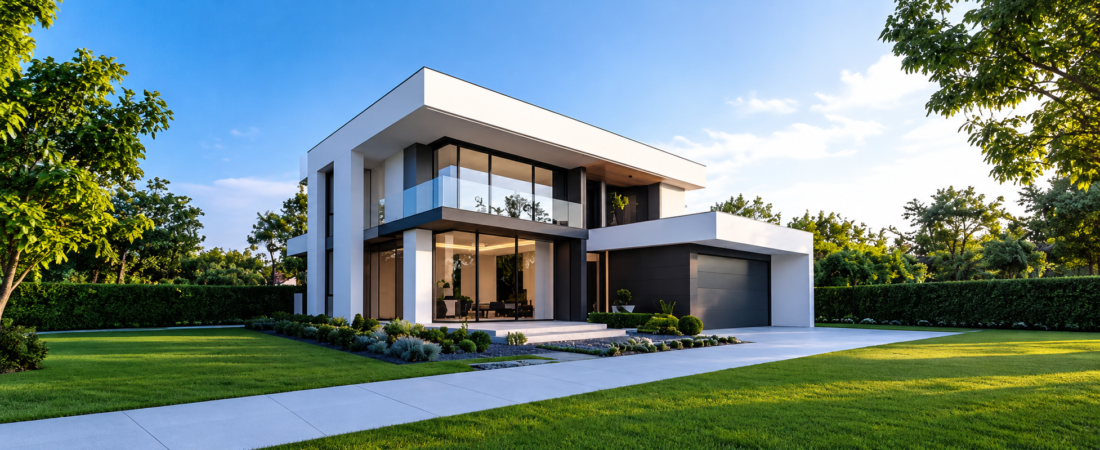
Decoradtech smart home ideas by DecoratorAdvice can be understood as a design approach that combines home decoration with smart technology. The idea is to make devices such as smart bulbs, voice assistants, automated blinds, thermostats, and security systems work naturally with your furniture, colors, and daily routines. Rather than allowing technology to dominate a room, you choose useful features that improve convenience while preserving the home’s overall appearance.
For example, a living room can have warm smart lighting, hidden charging cables, and motorized curtains without looking like a technology showroom. The same principle applies to bedrooms, kitchens, bathrooms, and outdoor spaces. The best setup is not necessarily the one with the most devices; it is the one that solves real problems and makes your home more enjoyable to live in.
Why Combine Smart Technology With Home Decor?
Modern homes serve many purposes. They are places to relax, work, spend time with family, and entertain guests, sometimes all within the same space. Smart technology can make these activities easier, but poorly placed devices and tangled cables can spoil an otherwise beautiful interior. Combining technology with thoughtful decorating helps create a home that feels both functional and welcoming.
Another advantage is flexibility. Smart bulbs can change brightness to suit different activities, connected thermostats can help manage heating and cooling, and automated blinds can make it easier to control daylight. When you choose compatible devices carefully, you can also control several functions through a single app or a simple voice command. The goal is to make everyday routines easier while keeping your home’s character intact.
1. Smart Lighting Ideas for a Warm and Modern Home

Create Different Lighting Scenes
Lighting scenes let you adjust several compatible lights together with a single command or scheduled routine. For example, a movie-night setting might dim the main lights while leaving a small lamp on beside the sofa. A morning setting could gradually brighten bedroom lights to help you wake up. These small adjustments can make a home feel more personal, especially when the lighting complements natural daylight and the colors already present in the room.
2. Use Smart Curtains and Blinds to Control Natural Light
Window treatments have a major effect on how a room looks and feels, so automated curtains and blinds are a useful addition to a thoughtfully designed smart home. Motorized systems can open or close compatible window coverings on a schedule or through an app, helping you manage sunlight, privacy, and glare. In a bedroom, curtains might close at night and open in the morning, while living room blinds can be adjusted during bright afternoons. Choose fabrics and colors that complement the interior, such as linen-look curtains, soft beige drapes, or simple white blinds. Before purchasing a motorized system, check the size and weight of your curtains, the available power supply, and whether the controls work with your existing smart home platform.

3. Design a Smart Living Room Without Cluttering It
The living room is often the best place to experiment with smart home technology because it usually contains the television, lighting, speakers, and other frequently used devices. The trick is to make those devices feel like part of the room instead of the main attraction. A wooden media console can conceal cables and small accessories, while a wall-mounted television can create a cleaner appearance when installed safely. Smart speakers can sit on a bookshelf or side table, and charging stations can be tucked into a drawer or designated storage area. Keep the layout simple, leave enough open space for movement, and choose devices with finishes that complement your existing decor. A well-planned living room should still feel inviting when every connected device is switched off.

Make Entertainment Easier With Smart Controls
A compatible universal remote, smart television, or voice assistant can simplify entertainment by reducing the number of separate controls you need. Depending on the devices you own, you may be able to adjust the volume, manage lighting, or start a favorite streaming service with fewer steps. However, compatibility matters more than the number of features advertised on the box. Check which devices can communicate with one another before buying anything, and avoid adding extra equipment if your existing television or speaker already meets your needs.
4. Create a Relaxing Smart Bedroom
A bedroom should feel restful, and smart technology can support that feeling when it is used thoughtfully. Dimmable bedside lamps, scheduled lighting, automated curtains, and compatible temperature controls can help establish a consistent evening routine. For instance, you could set the lights to dim before bedtime and switch off selected lamps automatically after you have settled in. Keep charging cables organized, avoid filling bedside tables with unnecessary devices, and choose soft materials such as cotton bedding, textured cushions, and warm wood finishes to balance the technology. Smart features are most useful here when they reduce small daily frustrations rather than introducing more notifications, complicated controls, or bright screens into a space intended for rest.

5. Bring Smart Technology Into the Kitchen
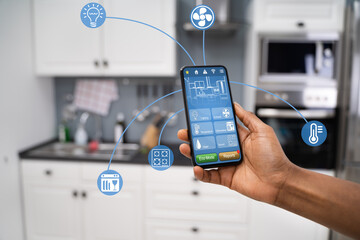
A smart kitchen does not need to look futuristic to be useful. Connected appliances, smart plugs designed for suitable devices, leak sensors, and a small voice-controlled display can help with everyday tasks while keeping the space organized. A display may show recipes or timers, while a compatible refrigerator can offer features such as inventory tracking or alerts. Before buying connected appliances, consider whether the added functions solve a problem you actually have. Keep worktops clear, store small electronics away from water and heat, and follow each manufacturer’s installation and safety instructions. In a small kitchen, choosing one genuinely helpful device is often better than sacrificing valuable preparation space for several gadgets.
6. Make Your Bathroom Smarter and More Practical
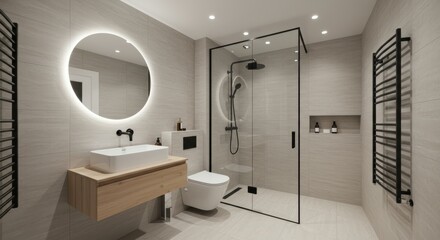
A bathroom can benefit from carefully selected smart features, but moisture and electrical safety must come first. Motion-activated lighting can be useful during nighttime visits, while a suitable humidity sensor or extractor fan control can help manage moisture when properly installed. You might also consider a smart mirror with practical lighting features if it suits your budget and bathroom layout. Choose products specifically rated for their intended bathroom location, and have fixed electrical equipment installed by a qualified professional where required. Keep ordinary smart speakers, charging devices, and other unsuitable electronics away from wet areas. A clean, simple bathroom design with good ventilation, adequate lighting, and practical storage will usually make a bigger difference than adding multiple connected accessories.
7. Improve Home Security Without Changing Your Interior Style
Smart security products can provide useful alerts and make it easier to check your home when you are away. Depending on your needs, options include video doorbells, motion sensors, smart locks, indoor cameras, and outdoor lights with compatible controls. You can integrate these devices into the home’s design by choosing discreet finishes and placing equipment where it can function properly without becoming visually distracting. Security also depends on how the system is configured, so use strong, unique passwords, enable multifactor authentication when available, install software updates, and review who has access to camera feeds. Before installing cameras, consider the privacy of family members, neighbors, and visitors. Choose features that fit your household rather than assuming that more surveillance always means better security.

Save Energy With Smart Thermostats and Connected Controls
Energy efficiency is another practical reason to explore smart home upgrades. A compatible thermostat can help manage heating and cooling schedules, while energy-monitoring plugs or devices can provide information about the electricity use of supported appliances. These tools are most useful when you understand your existing energy habits and use the information to make sensible changes. For example, you might adjust temperature settings when the house is empty or create a schedule that avoids unnecessary heating and cooling. Actual savings depend on the climate, insulation, equipment, electricity rates, and how the system is used, so no device can guarantee a particular reduction in bills. Start with the biggest source of avoidable energy use in your home rather than purchasing connected products simply because they are advertised as energy-saving.
Choose Smart Home Ideas for Small Spaces
Small homes, apartments, and compact rooms can benefit from smart technology just as much as larger properties. In fact, a few well-chosen devices may have a noticeable effect when space is limited. Smart bulbs can improve lighting without requiring extra floor space, compact speakers can reduce the need for bulky entertainment equipment, and app-controlled plugs can help manage compatible lamps. Furniture with built-in cable management can keep the room tidy, while wall shelves provide a place for small devices without crowding tables. Before buying anything, measure the available space and consider where cables, power outlets, and wireless equipment will go. A compact home works best when every object has a purpose and technology supports the layout instead of making it feel crowded.
Affordable Decoradtech Smart Home Ideas for Beginners
You do not need a large budget to get started. A practical approach is to identify one daily inconvenience and find a simple solution for it. If you frequently forget to turn off a lamp, a compatible smart bulb or suitable smart plug may help. If your room feels harsh at night, a dimmable light could be a better first purchase than a full smart lighting system. If cables make your desk untidy, cable clips and a small organizer may solve the problem without requiring any connected technology. Compare the total cost of devices, hubs, installation, subscriptions, and replacement parts before making a decision. Affordable smart home design is about choosing upgrades that offer lasting value, not buying every product that promises to make life easier.
Make Different Smart Devices Work Together
One of the biggest challenges in smart home design is getting different products to work together reliably. A smart bulb from one manufacturer may not support every function offered by another company’s hub or voice assistant. Before purchasing devices, check their connectivity requirements, supported platforms, and compatibility with the products you already own. Standards such as Matter can make it easier for supported devices from different manufacturers to communicate, although not every feature works across every platform. If you are starting from scratch, choose a system that supports your main needs and expand gradually. A simple setup that works consistently is more useful than a complicated collection of devices that requires several apps and frequent troubleshooting.
Keep Smart Home Technology Secure and Private
Convenience should never come at the expense of privacy. Connected cameras, doorbells, speakers, and other devices may collect information about how your household uses them, so it is worth understanding their settings before installation. Use strong passwords, enable multifactor authentication where available, keep firmware updated, and disable features you do not need. Review microphone and camera permissions, check how recordings are stored, and understand whether cloud storage requires a subscription. You should also secure your home Wi-Fi network and replace default device passwords. These steps will not eliminate every risk, but they can reduce common security weaknesses and help you make more informed decisions about which products deserve a place in your home.
Common Smart Home Decorating Mistakes to Avoid
A common mistake is buying devices before deciding what you want them to accomplish. This can lead to unnecessary spending, incompatible equipment, and cluttered rooms. Another problem is ignoring the physical design of the space: visible cables, poorly positioned sensors, harsh lighting, and oversized devices can make an otherwise attractive room feel untidy. Some homeowners also overlook installation requirements, wireless coverage, privacy settings, or ongoing subscription fees. To avoid these problems, plan the layout first, check compatibility, measure available space, and prioritize useful functions over impressive specifications. Most importantly, do not automate everything simply because you can. The best smart home still allows you to use ordinary switches and controls when they are more convenient.
How to Plan Your Smart Home One Room at a Time
The easiest way to create a smart home is to work through your rooms in order of importance instead of changing everything at once. Begin with the space where you spend the most time, identify one or two improvements, and check whether your current devices can support them. You might start with lighting in the living room, add a practical bedside routine, and then consider energy controls or security features. Once each upgrade is working properly, decide whether another addition would genuinely improve your daily routine. This gradual approach helps you control costs, learn how the technology works, and maintain a consistent decorating style throughout your home.
Conclusion
The best decoradtech smart home ideas by DecoratorAdvice bring useful technology into a home without losing the warmth and personality that make it yours. Smart lighting, automated window coverings, discreet security equipment, and sensible energy controls can improve everyday convenience when they are chosen carefully. Start with a real need, consider your budget, and make sure each device works with your existing setup. You do not have to transform every room overnight. A few thoughtful improvements can create a home that feels more organized, comfortable, and connected while still reflecting your personal style.
Frequently Asked Questions (FAQs)
1. What are decoradtech smart home ideas by DecoratorAdvice?
Decoradtech smart home ideas combine interior decorating with practical technology, including smart lighting, automated curtains, connected appliances, and home security systems. The aim is to improve comfort and convenience while keeping the home attractive and functional.
2. How can I make my home smarter on a budget?
Start with affordable upgrades such as a compatible smart bulb, a suitable smart plug, or a motion-sensor light. Choose one feature that solves a daily problem, check compatibility, and expand your setup gradually as your budget allows.
3. Which smart home devices are best for beginners?
Smart bulbs, compatible smart plugs, basic motion sensors, and smart speakers are common starting points. The best choice depends on your needs, existing devices, Wi-Fi coverage, and preferred control system.
4. Can smart home technology improve interior design?
Yes. Adjustable lighting, automated blinds, and organized cable management can make rooms more comfortable and visually appealing. Technology works best when it complements the furniture, materials, colors, and layout rather than competing with them.
5. Are smart home devices energy-efficient?
Some smart devices can help reduce unnecessary energy use by adjusting lighting, heating, or cooling schedules. However, the actual savings depend on your equipment, energy habits, climate, and electricity costs.