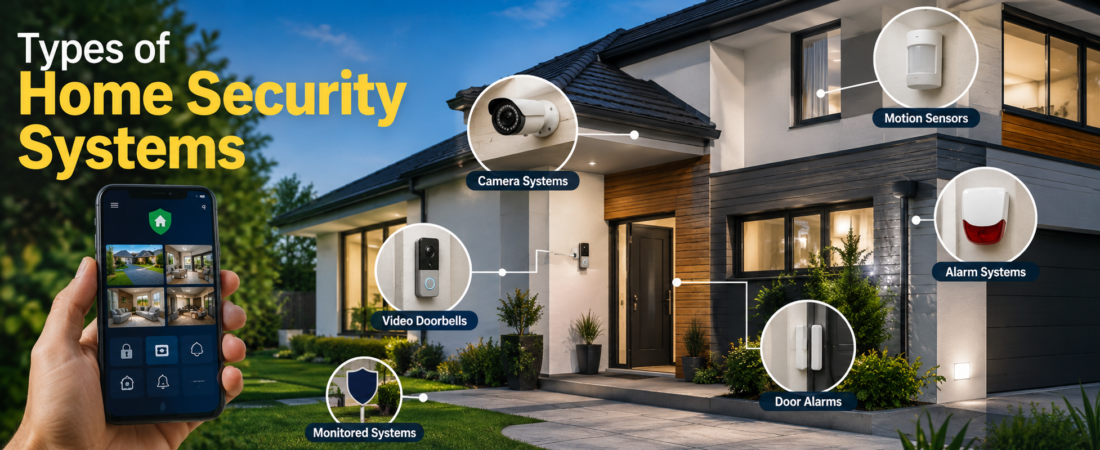
5 Types of Home Security Systems is a combination of devices that helps protect your property from unwanted activity. It may include door and window sensors, motion detectors, security cameras, alarms, smart locks, and glass-break sensors. Many modern systems also connect to your smartphone, letting you view cameras, receive alerts, and manage security from almost anywhere.
5 Main Types of Home Security Systems
There are five broad categories that homeowners commonly consider: professionally monitored systems, DIY security systems, smart home security systems, camera-based systems, and traditional alarm systems. These categories can overlap, so one home may use several types at the same time. For example, a homeowner could install a DIY smart system with cameras and professional monitoring.
1. Professionally Monitored Security Systems
Professionally monitored security systems connect your home to a monitoring center that operates around the clock. When an alarm or certain sensor is triggered, the monitoring service can contact you and, depending on the service and situation, emergency responders. This option can be appealing to homeowners who want someone else watching for security alerts, especially when they are asleep, traveling, or away from home. The main trade-off is cost, because professional monitoring usually involves a recurring fee in addition to equipment expenses.
How Professional Monitoring Works
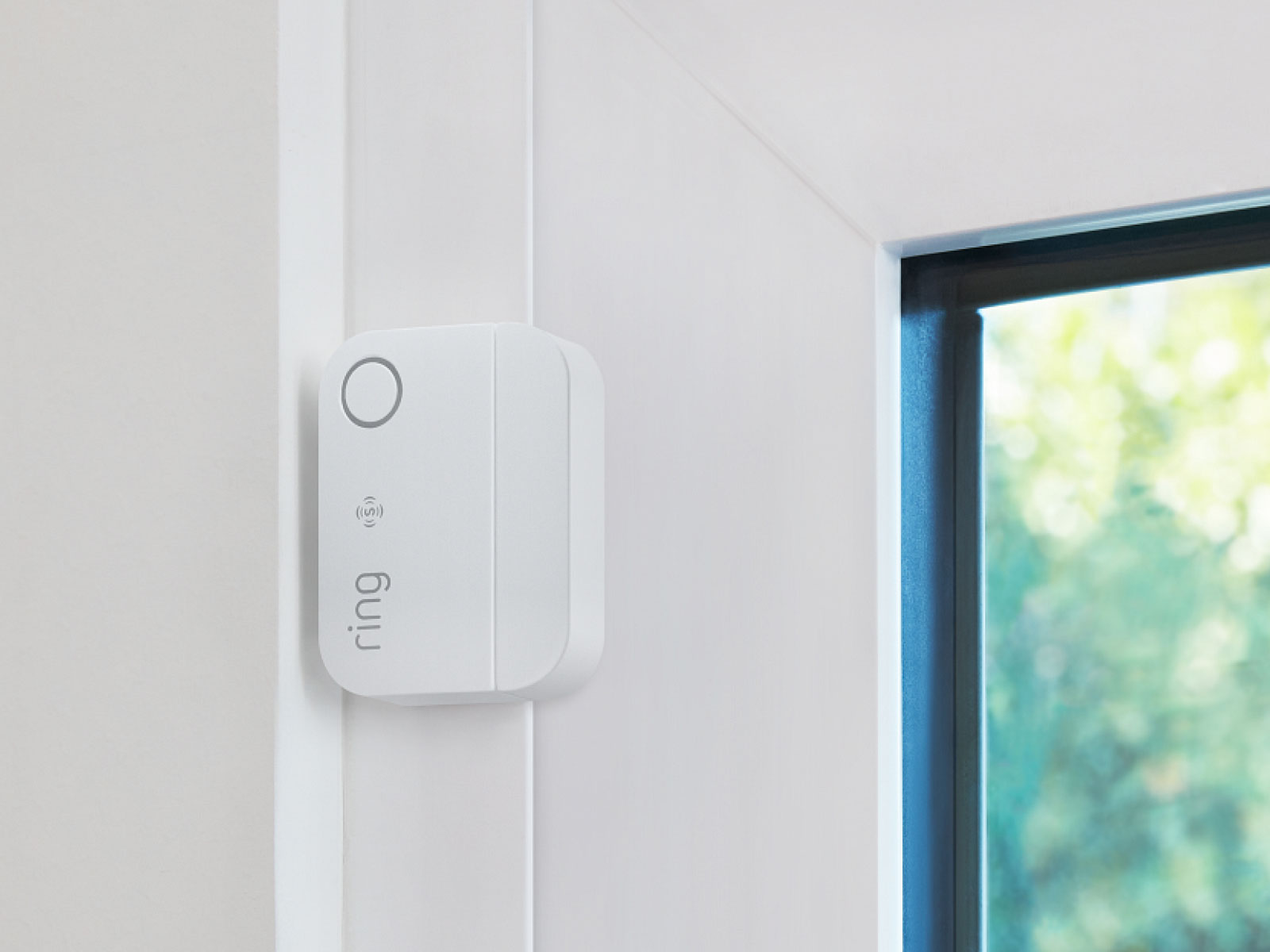
A typical monitored setup uses sensors placed at important entry points and other areas of the property. If a sensor detects an event, the system sends an alert to the monitoring center. The operator may then follow the agreed response procedure, which can include contacting the homeowner or appropriate emergency services. Exact procedures vary by provider, equipment, location, and subscription plan, so homeowners should understand the service terms before signing up.
2. DIY Home Security Systems
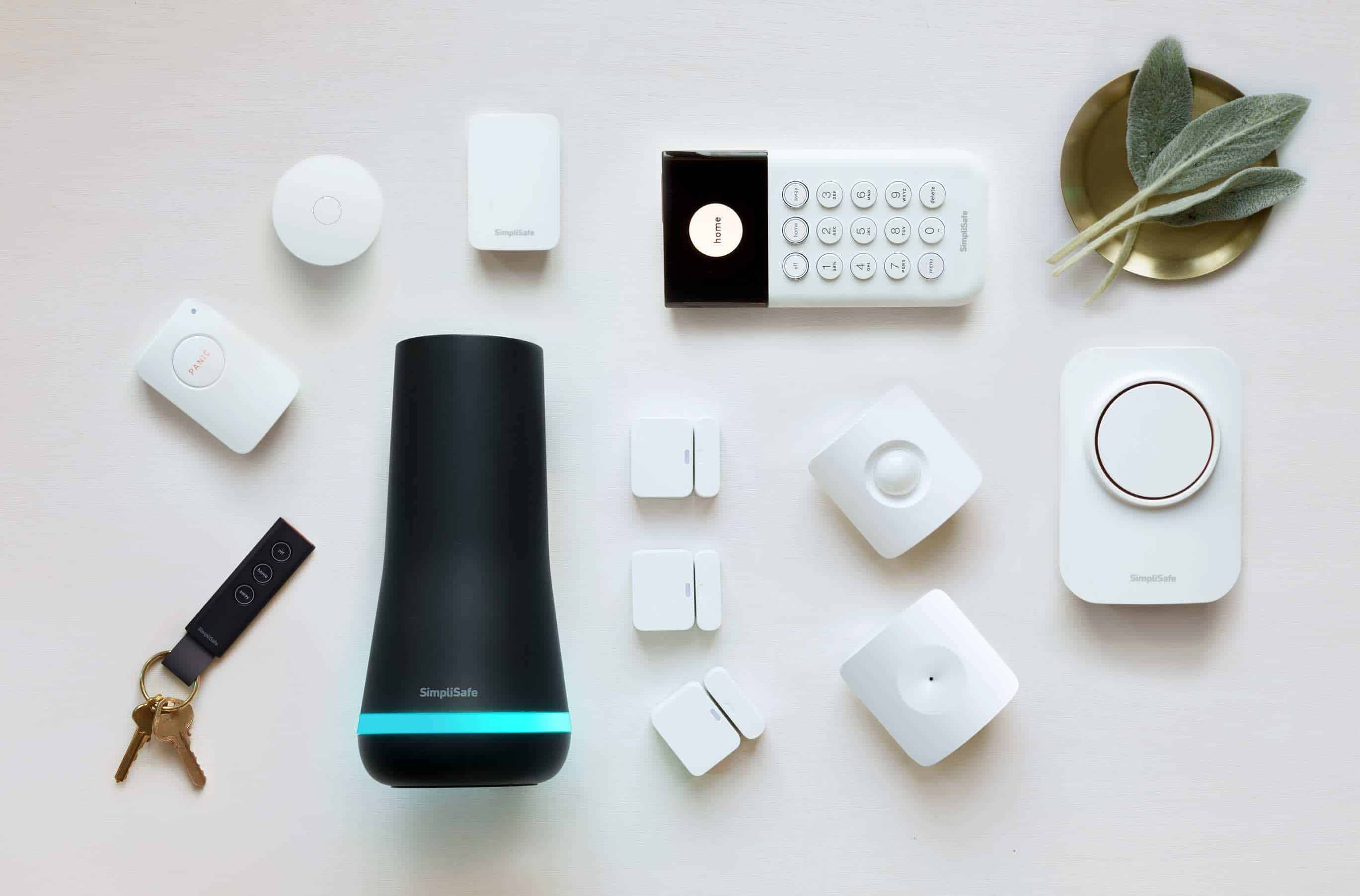
DIY security systems are designed for homeowners who prefer to purchase and install their own equipment. Many modern kits use wireless connections and simple mounting methods, making them easier to set up than traditional hardwired systems. A basic package might include a central hub, door sensors, motion detectors, and a mobile app. DIY systems can be attractive because they often provide more flexibility and may avoid professional installation charges.
Benefits of DIY Security
The biggest advantage of DIY security is control. You decide where cameras and sensors go, when to change the setup, and which devices to add later. These systems can also work well for renters because many wireless devices can be removed without major changes to the property. However, installation quality matters. A poorly positioned camera or sensor can leave important areas uncovered, so homeowners should spend time planning coverage rather than simply placing devices wherever installation is easiest.
3. Smart Home Security Systems
Smart home security systems combine traditional security equipment with connected technology. Cameras, locks, alarms, motion sensors, doorbells, and other devices can communicate through a home network and often be managed from a smartphone. Some systems can send instant notifications when a door opens, movement is detected, or a camera identifies activity. Smart integration can make security more convenient, but homeowners should also pay attention to account security, software updates, privacy settings, and the reliability of their internet connection.

Smart Security Features to Consider
Useful smart features include mobile notifications, remote access, video recording, smart locks, geofencing, two-way communication, and compatibility with other connected-home devices. Some systems can also create automated routines, such as locking doors at a particular time or turning on exterior lights when motion is detected. These features can make a security system feel less like a collection of separate gadgets and more like one coordinated setup.
4. Camera-Based Security Systems
Camera-based security systems focus primarily on video surveillance. Depending on the property, homeowners may use indoor cameras, outdoor cameras, video doorbells, floodlight cameras, or a combination of them. Cameras can provide useful visual information when motion occurs or someone approaches the property. They can also help homeowners understand what happened after an incident. However, cameras are not a complete replacement for entry sensors or alarms because a camera may record an event without physically preventing someone from entering.
Wired vs. Wireless Security Cameras
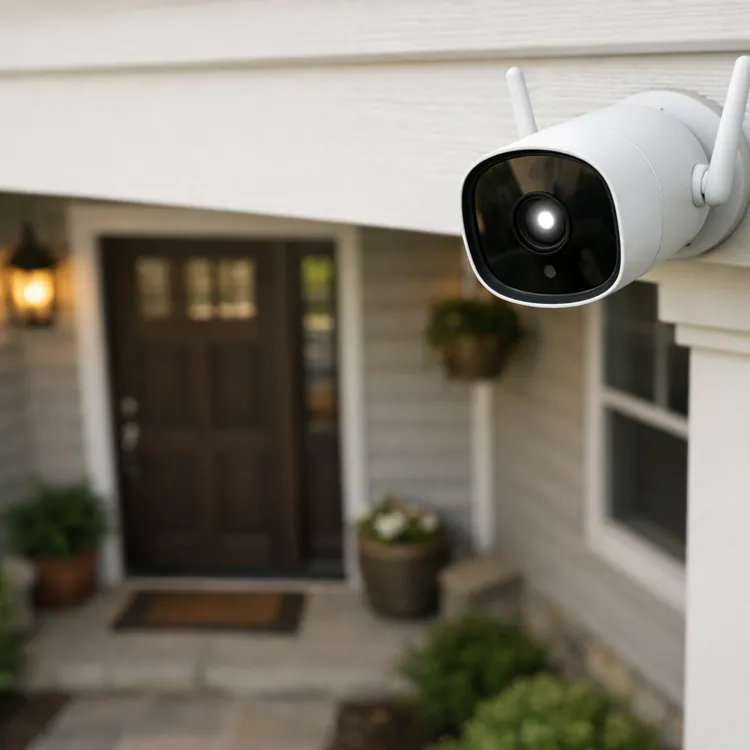
Wired cameras can provide a stable connection and may be well suited to permanent installations, particularly when a property already has suitable cabling. Wireless cameras are generally easier to install and reposition, although they depend on batteries, Wi-Fi, or both depending on the model. Before choosing either option, consider power availability, Wi-Fi coverage, storage requirements, weather exposure, and where recorded footage will be kept.
5. Alarm Security Systems
Traditional alarm systems use sensors and an alarm to detect unauthorized entry or other security events. Door and window contacts can detect when an entry point is opened, while motion detectors can identify movement inside designated areas. When the system is armed and a sensor is triggered, an audible alarm may sound. Modern alarm systems can also include smartphone notifications and monitoring services, making them considerably more flexible than older standalone alarms.

How Alarm Systems Protect a Home
An alarm system creates a clear response when a protected entry point is opened or movement is detected. The sound of an alarm can attract attention and may discourage an intruder from continuing. Some systems can also notify homeowners remotely. For better coverage, alarms are usually most effective when combined with sensible physical security measures such as strong doors, reliable locks, adequate outdoor lighting, and properly secured windows.
Wired vs. Wireless Home Security Systems
Another important distinction is whether a system is wired or wireless. Wired systems use physical cables to connect equipment, while wireless systems communicate through technologies such as Wi-Fi or other wireless protocols. Wired setups can offer dependable connectivity and are often considered for long-term installations, while wireless systems usually provide easier installation and greater flexibility. Neither option is automatically best for every home; the right choice depends on the property’s construction, power availability, network reliability, and installation preferences.
Monitored vs. Unmonitored Security Systems
The difference between monitored and unmonitored systems comes down largely to who responds to an alert. With an unmonitored setup, the homeowner typically receives an alarm or notification and decides what to do next. A monitored system adds a professional monitoring service that can respond according to its procedures. Unmonitored systems can reduce ongoing costs, while monitored systems may offer additional peace of mind for people who want professional assistance when they are unavailable.
What Features Should a Home Security System Have?
A useful security system should cover the areas where an unwanted entry or security problem is most likely to occur. Common features include door and window sensors, motion detection, security cameras, loud alarms, mobile alerts, backup power, smart locks, and video doorbells. You do not necessarily need every feature. A smaller home may benefit more from well-positioned entry sensors and a doorbell camera than from a large collection of devices that are difficult to manage.
Security Cameras vs. Motion Sensors
Cameras and motion sensors serve different purposes. A camera provides visual information, while a motion sensor primarily detects movement and triggers an alert. A camera can show you what caused an alert, whereas a motion sensor can cover an area without continuously recording video. Using both can create better awareness because one device detects activity and the other can help explain what happened.
Do Home Security Systems Need Wi-Fi?
Not every security system depends entirely on Wi-Fi. Some devices use dedicated wireless communication between sensors and a central hub, while others rely heavily on a home internet connection for remote features. Cameras and smartphone-controlled devices commonly need internet access for cloud services and remote viewing. If your internet connection is unreliable, consider whether the system offers cellular backup, local recording, or other backup communication options.
How Much Do Home Security Systems Cost?
The cost varies widely depending on equipment, installation, monitoring, cameras, smart features, and the size of the property. A simple DIY setup may cost considerably less than a professionally installed system with multiple cameras and ongoing monitoring. Instead of focusing only on the initial equipment price, look at the total cost over several years. Include installation, monthly monitoring, cloud video storage, replacement batteries, and additional sensors when comparing options.
Are Smart Home Security Systems Worth It?
Smart security systems can be worth considering if you want convenient control from your phone and the ability to expand your setup over time. They are particularly useful for people who want remote notifications, video doorbells, smart locks, and connected cameras. However, convenience should not come at the expense of basic security. Use strong, unique account passwords, enable available security protections, keep devices updated, and review privacy settings regularly.
How to Choose the Right Home Security System
Start by thinking about the property rather than the equipment. Walk around your home and identify main doors, accessible windows, garages, driveways, side entrances, and areas with limited visibility. Then decide whether you need professional monitoring or prefer to manage alerts yourself. After that, consider cameras, sensors, alarms, smart locks, and other features. This approach helps prevent overspending on equipment that does not solve an actual security need.
Best Option for Homeowners Who Want Professional Support
A professionally monitored system is a strong choice for homeowners who want an additional layer of support when an alarm is triggered. It can be especially appealing for larger homes, people who travel frequently, or anyone who does not want to be solely responsible for responding to every alert. The recurring subscription cost is the main consideration.
Best Option for Renters
A wireless DIY system is often practical for renters because installation can be simpler and equipment can usually move with the homeowner. Battery-powered cameras, removable sensors, and wireless hubs can provide useful coverage without major alterations to the property. Before installing anything permanent, renters should check their lease and obtain permission when necessary.
Best Option for Smart Homes
A smart security system makes sense when you already use connected home devices and want security equipment that can work alongside them. Smartphone controls, automated locks, cameras, notifications, and connected sensors can create a convenient setup. Compatibility is important, though, because devices from different ecosystems may not always work together as expected.
Best Option for Basic Protection
For basic protection, a combination of entry sensors, motion detection, an audible alarm, and a visible camera can provide a practical starting point. You do not need to turn your home into a highly complicated surveillance network. Good coverage of vulnerable entry points is generally more useful than simply installing more devices.
Common Mistakes to Avoid
One common mistake is buying equipment before deciding what areas actually need protection. Another is installing cameras without considering lighting, viewing angles, privacy, or power. Homeowners sometimes overlook garages, side doors, and accessible windows because the front entrance receives most of the attention. It is also easy to ignore software updates and account security after installation. A security system works best when the technology, physical property, and everyday habits all support each other.
Can a Home Security System Prevent Burglary?
No security system can guarantee that a burglary will never happen. Its purpose is to improve detection, create alerts, provide information, and potentially discourage unwanted activity. Physical security remains important. Strong exterior doors, quality locks, secured windows, outdoor lighting, and good visibility can complement electronic security equipment. The strongest approach is usually layered protection rather than relying on a single camera or alarm.
Conclusion
Understanding the different types of home security systems makes it easier to spend money where it actually matters. Professionally monitored systems offer outside assistance, DIY systems provide flexibility, smart systems add connected controls, camera systems improve visibility, and alarm systems provide immediate alerts. Many homeowners will benefit from combining several of these approaches instead of choosing just one. Start with your home’s vulnerable areas, decide how much responsibility you want to handle yourself, and build a system around those needs rather than buying the most expensive package available.
FAQs About Home Security Systems
What are the main types of home security systems?
The five common types are professionally monitored systems, DIY systems, smart home security systems, camera-based systems, and alarm systems. These categories can overlap, so one security setup may combine several of them.
Which type of home security system is best?
There is no single best system for every home. A professionally monitored system may suit someone who wants 24/7 assistance, while a DIY or smart system may be better for someone who prefers flexible installation and direct control.
Are wireless home security systems reliable?
Wireless systems can be reliable when properly installed and maintained. Their performance depends on factors such as wireless coverage, battery condition, network quality, device placement, and the technology used by the system.
Do I need professional monitoring?
Professional monitoring is optional for many systems. It can be useful if you want a monitoring center to respond to certain alerts, but an unmonitored system may be enough if you prefer receiving notifications and handling responses yourself.
Are security cameras enough to protect a home?
Cameras provide valuable visual information but should not necessarily be the only security measure. Combining cameras with door and window sensors, alarms, good locks, and appropriate lighting can provide more complete protection.
Read also: Nail Pops in Ceiling Causes, Repairs, and Prevention